

Lenovo recently updated its Legion Go handheld line-up with the release of the Legion Go 2, featuring the AMD Z2 Extreme APU. We got an opportunity to try the new handheld, and here are our thoughts about it.
Design
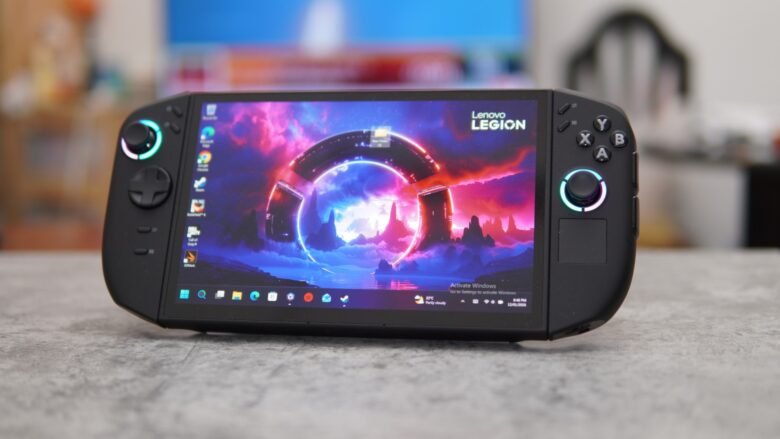
While certain competitors focused on providing better handheld experience with enhanced control designs, Lenovo continued with its large-screen design and improved ergonomics as compared with the first Legion Go. The front screen of the handheld features a stunning 8.8-inch OLED display, along with a 16:10 aspect ratio, and support for 144 Hz refresh rate and VRR. Thanks to the OLED panel, the device is also VESA True Black 1000 certified for true blacks, and the screen can hit 500 nits of brightness. The screen resolution is 1920 X 1200.
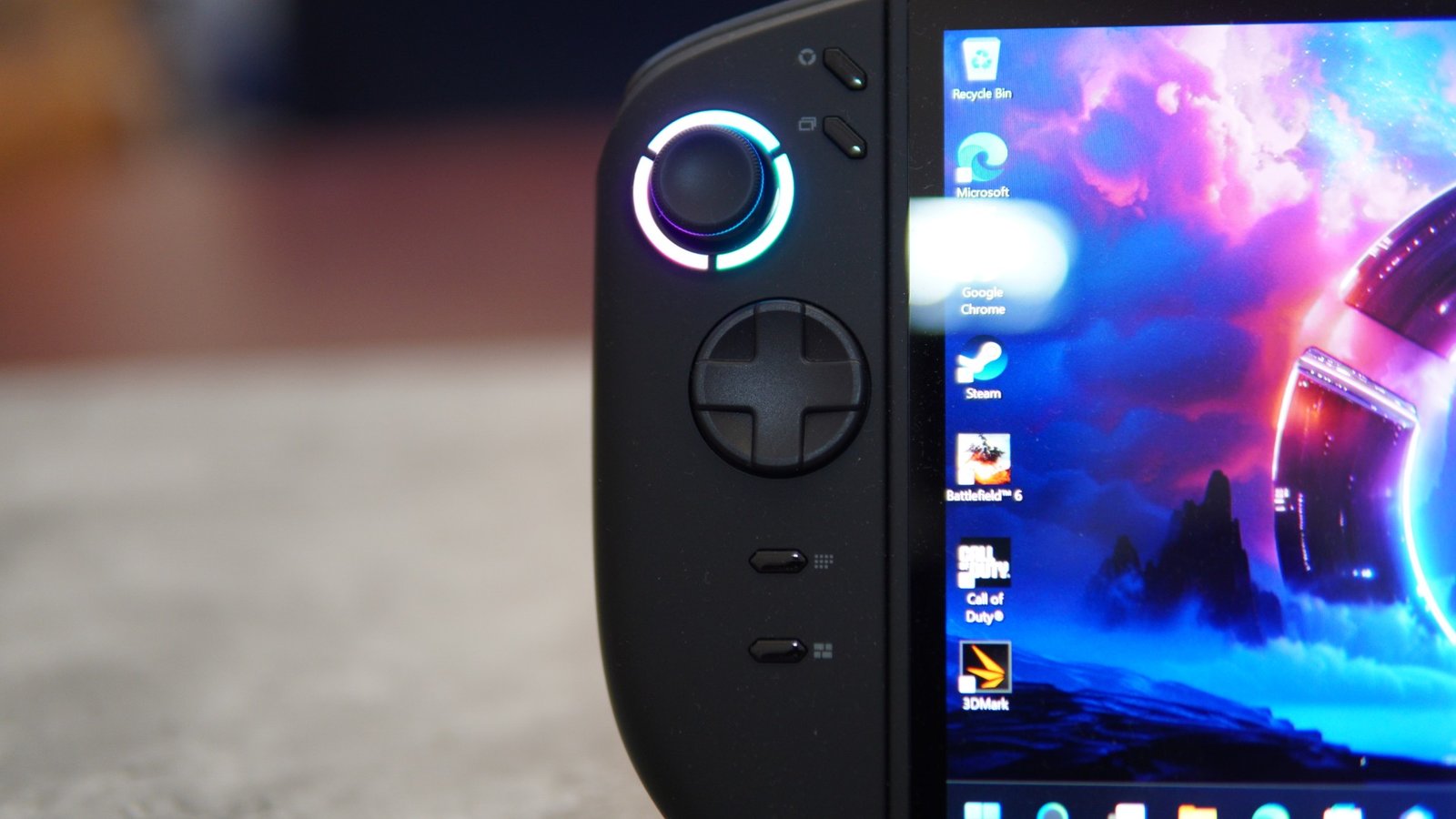
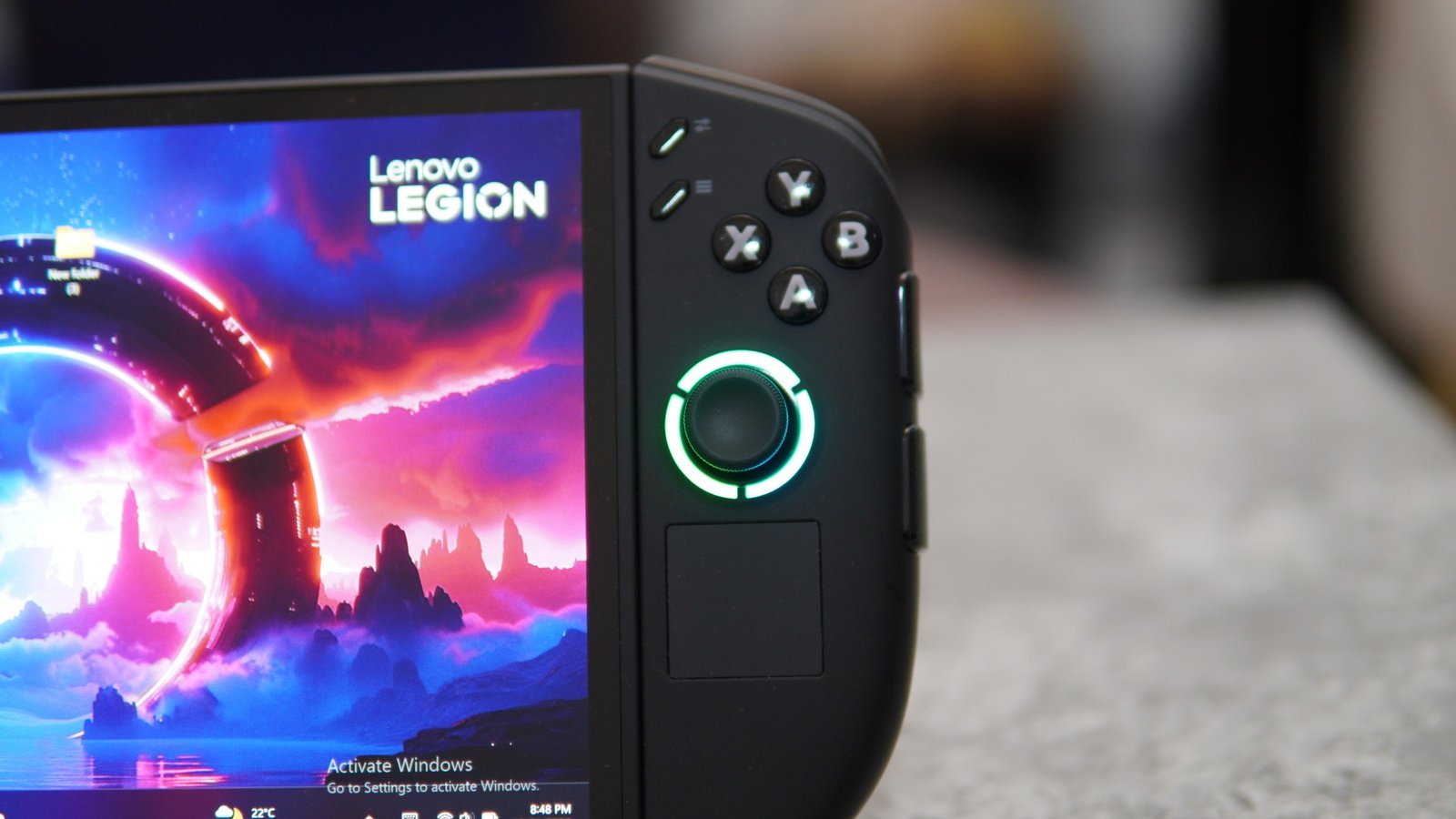
With the controllers, the dimensions of the Legion Go 2 are 206mm x 136.7mm x 22.95mm. And when the controllers are detached, the tablet section features a dimension of 295.6mm x 136.7mm x 42.25mm. The device weighs about 0.92 kg, and the handheld comes in the Eclipse Black color option. The design of the new Legion Truestrike controllers, its buttons, and triggers are improved for better comfort as compared to the previous generation. The joysticks feature Hall Effect sticks, a large Pivor D-pad, and more.
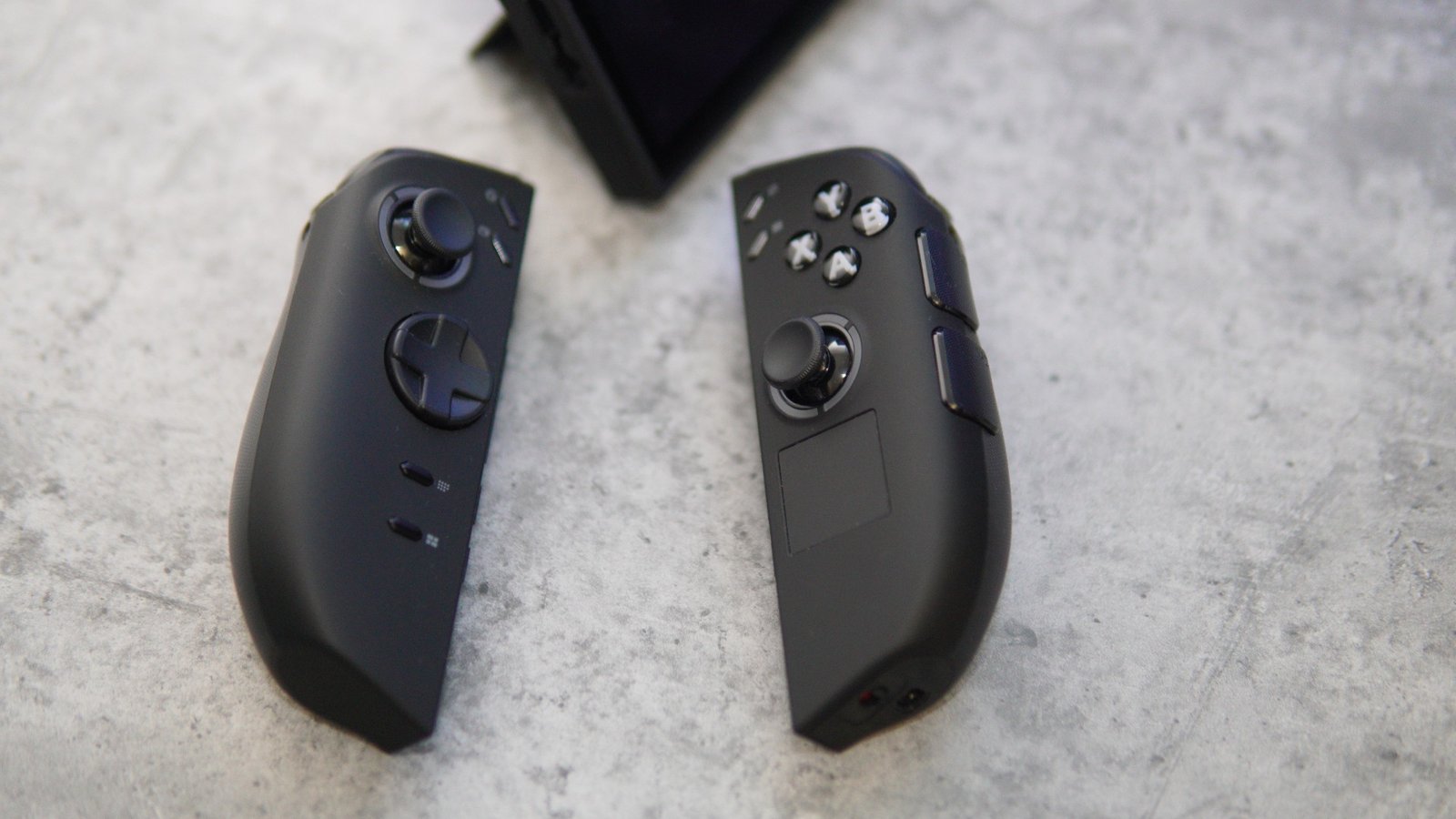
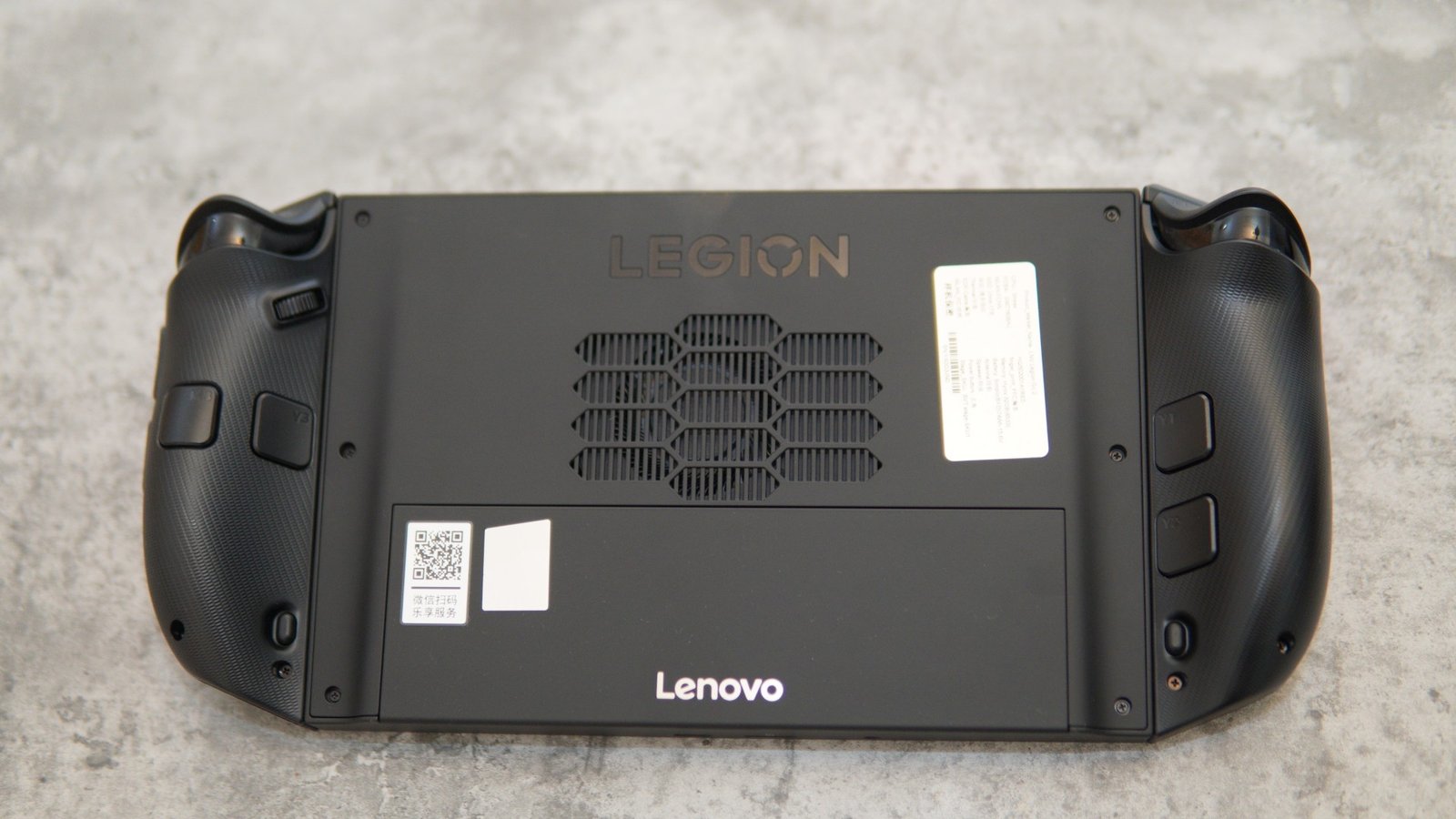
Gamers will be able to use the detached controls and play as a console standalone controller, a controller base mode, FPS mode, handheld mode, and more. Lenovo also kept the kickstand that is very useful when detaching the controllers and keeping the main unit as a tablet. The cooling vents are located on the rear and top sides of the device. The intake exhausts are on the rear side, next to the kickstand section. The right-sided controller also features the touchpad for mouse cursor controls.
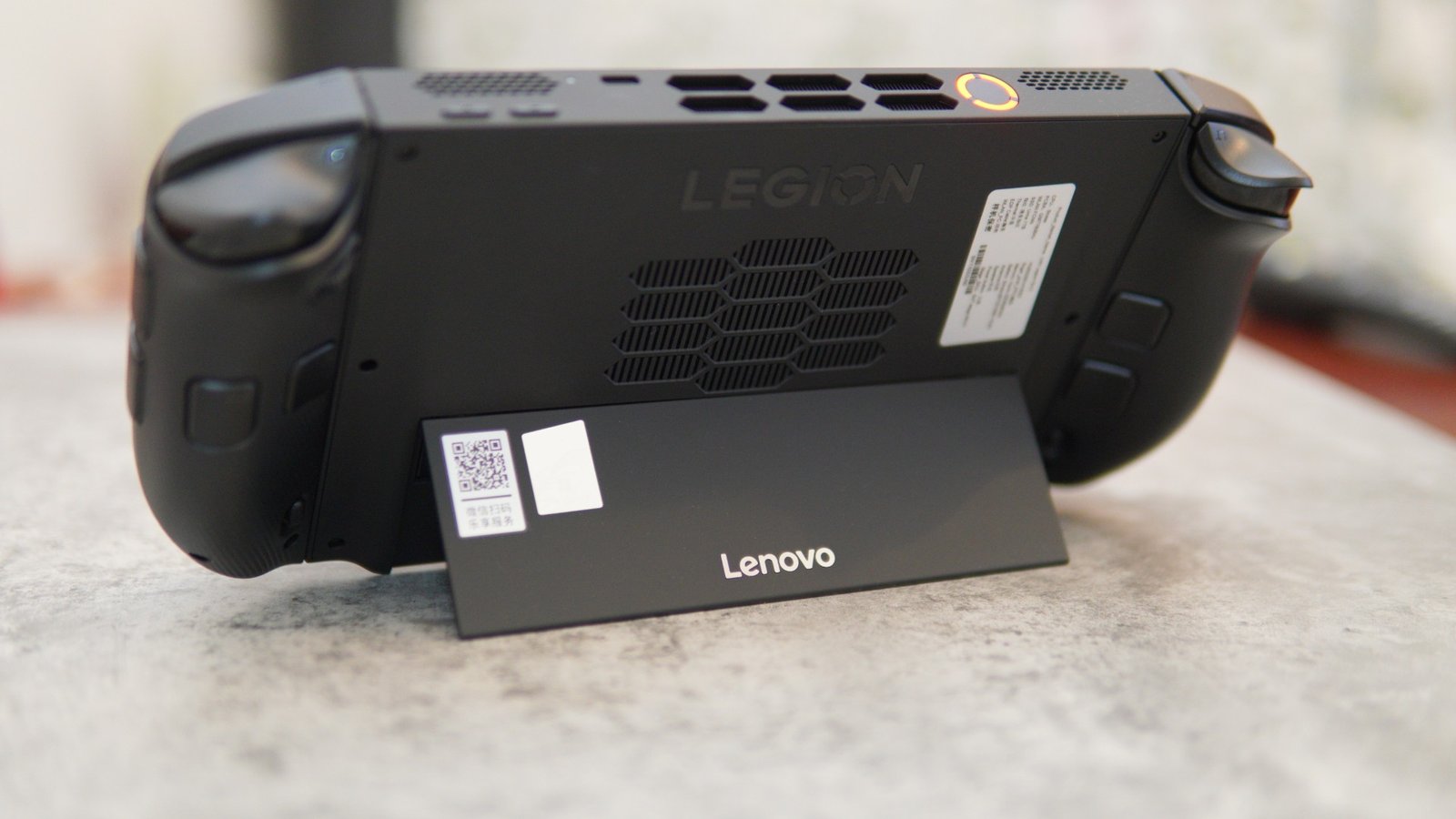
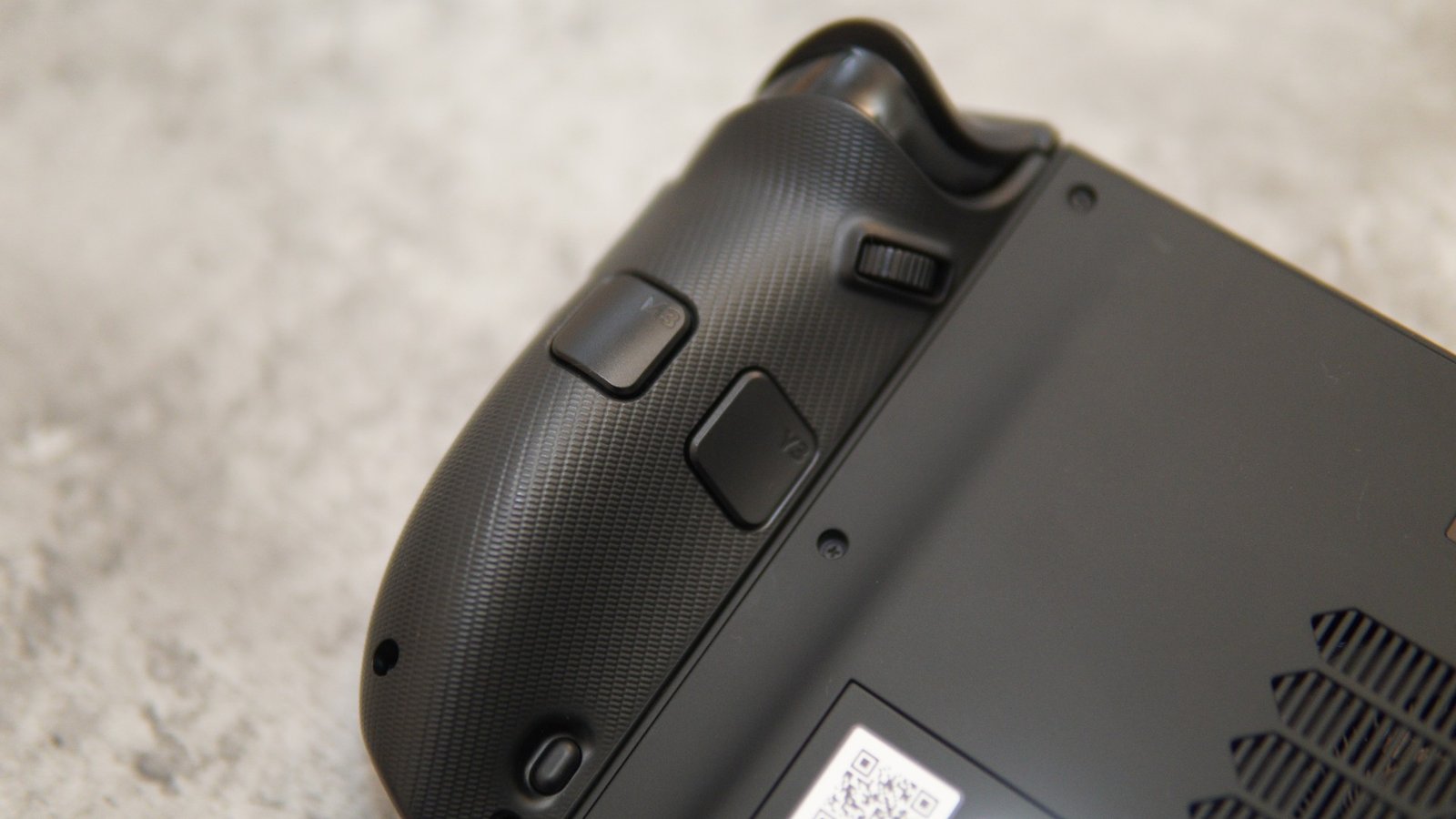
There are a lot of extra controller buttons on the rear side for those who wants extra shortcut keys that can enhance the gaming experience. The controllers also feature a textured finish that helps for a better grip. The front side have a silk-like coating, which helps to resist fingerprints.
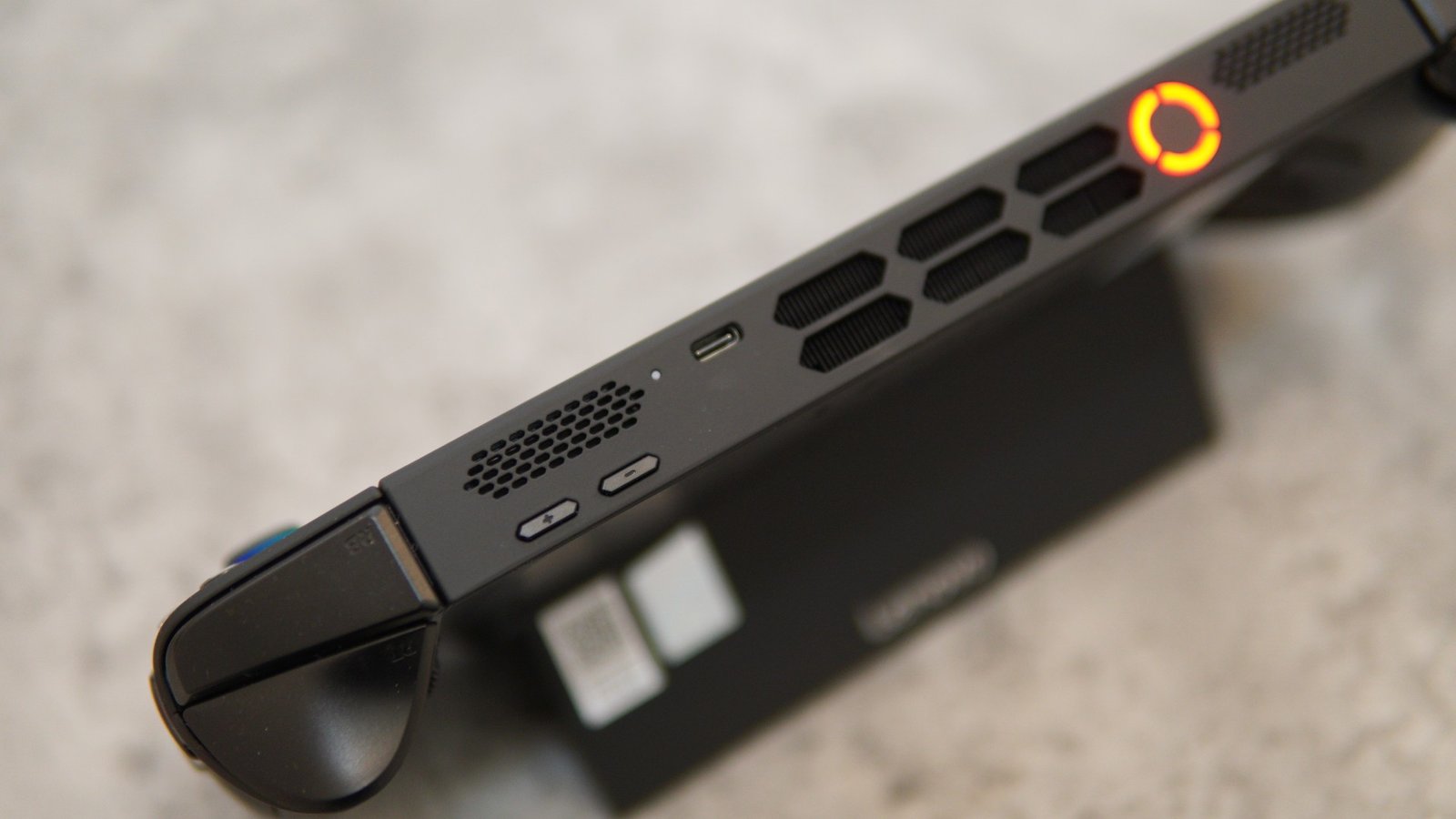
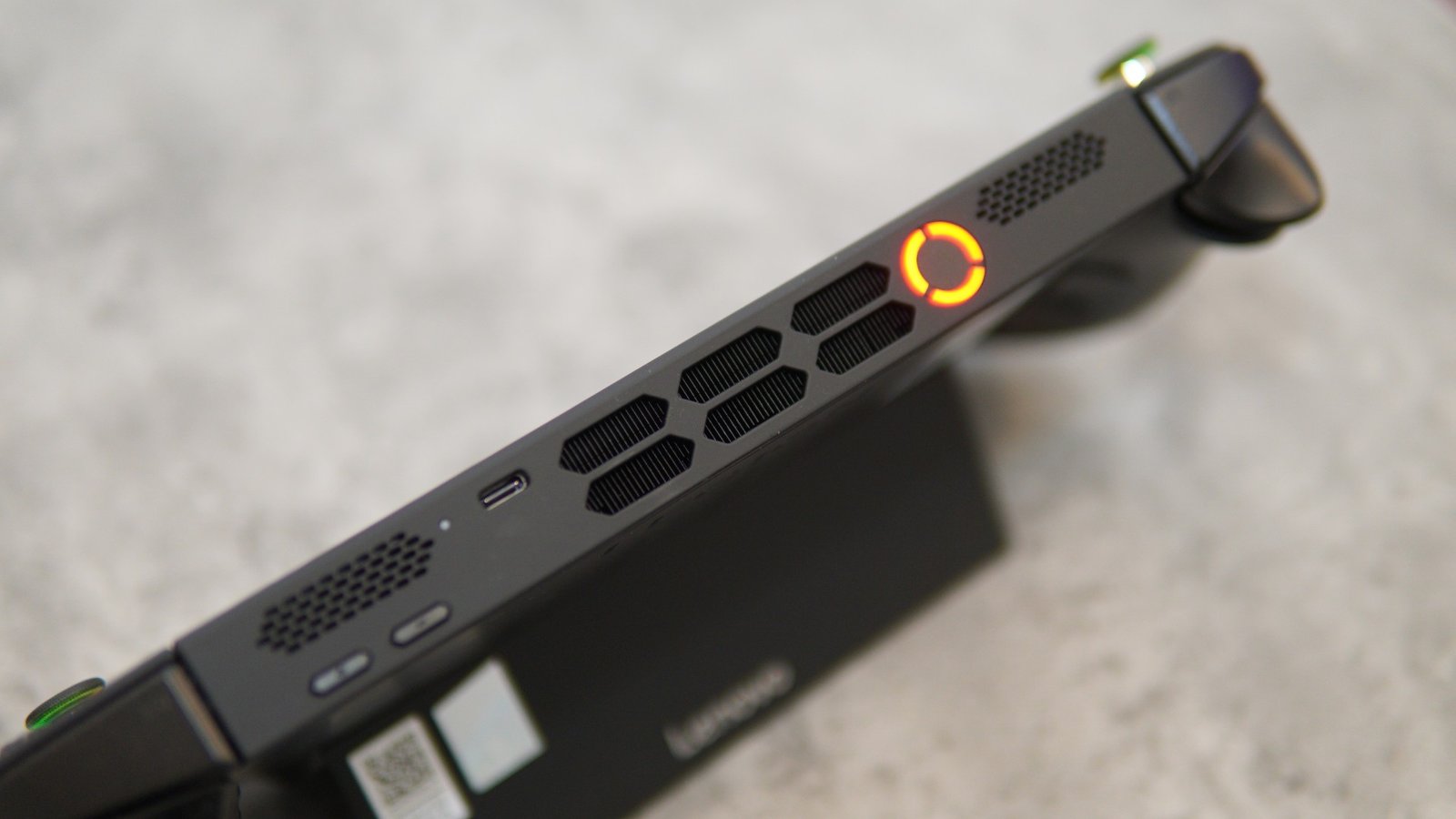
The exhaust air vents that push out the hot air are located on the top side, along with the volume rockers, the main power button, and more. The power button is surrounded with LEDs for a gamer-centric effect. The design of the three LEDs that surround the power button in a circular fashion resembles the “O” logo on the Lenovo Legion branding. The power button is also a fingerprint sensor. There are dual top-facing speaker grills on the top portion.
The Legion Go 2 is also compatible with Lenovo Legion Go accessories, including the Legion Glass 2, Legion USB-C Dock, the Legion screen protector, the Legion earphones, and more. The packaging includes the Legion Go 2 handheld, a Controller base, a 65W USB-C charger, a Legion Go 2 carry case, and a quick start guide.
Performance
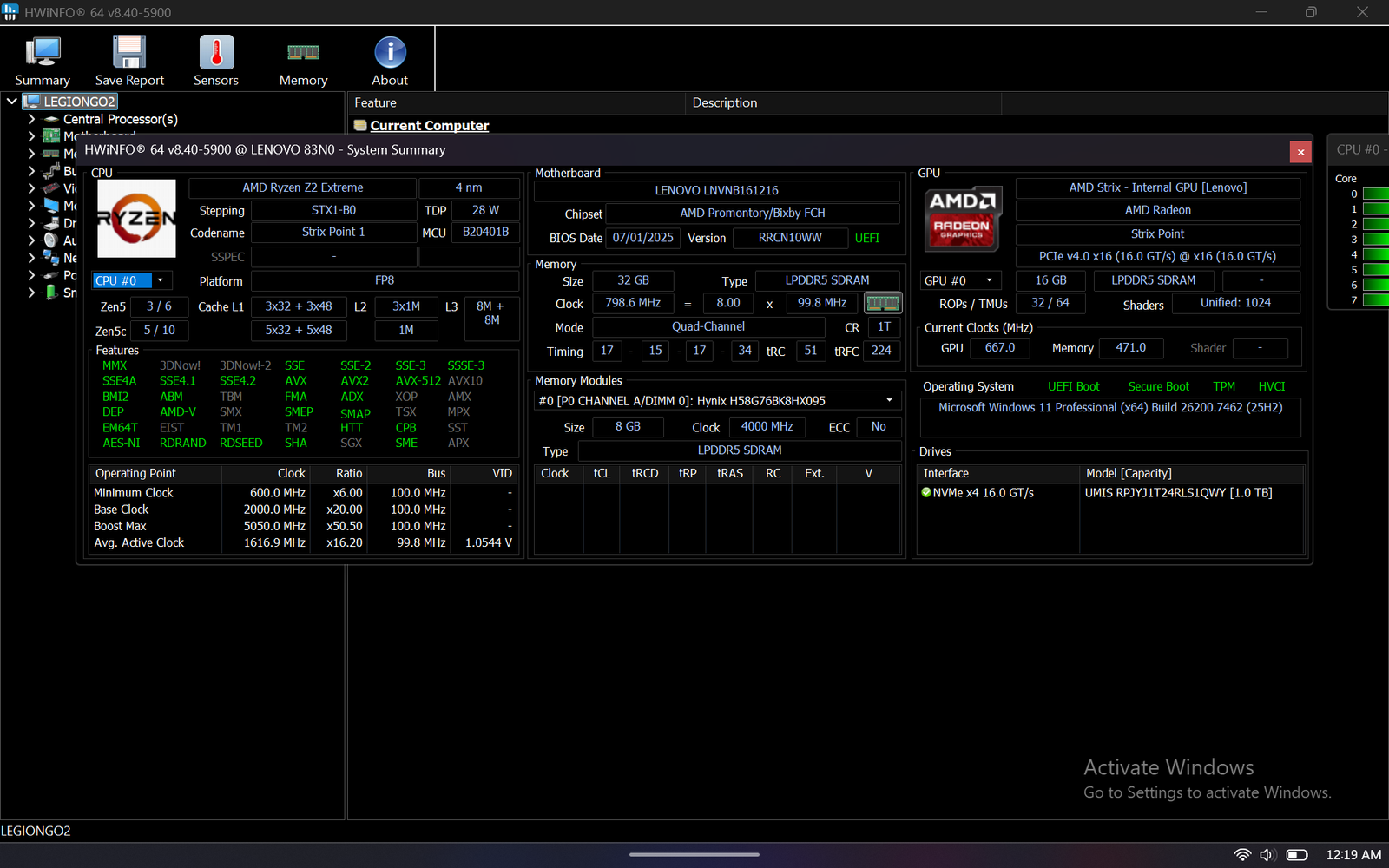
When it comes to gaming performance, the Legion Go 2 is the first in the market to feature AMD’s latest Z2 Extreme APU. The new chip provides a decent performance uplift and power efficiency as compared to the earlier Z1 Extreme that was used on the first-generation Legion Go handheld. The Z2 Extreme features eight Zen 5 CPU cores and 16 threads, and its graphics component features 16 CUs based on RDNA 3.5 architecture. The Legion Go 2 comes with 32GB of onboard LPDDR5 memory and a 1TB PCIe 4.0 SSD with Windows 11 Pro installed. The SSD can easily be replaced by users with higher capacity PCIe 4.0 SSDs. The GPU uses up to 16GB of internal memory for graphics loads. The Legion Go 2 also works with the SteamOS platform.
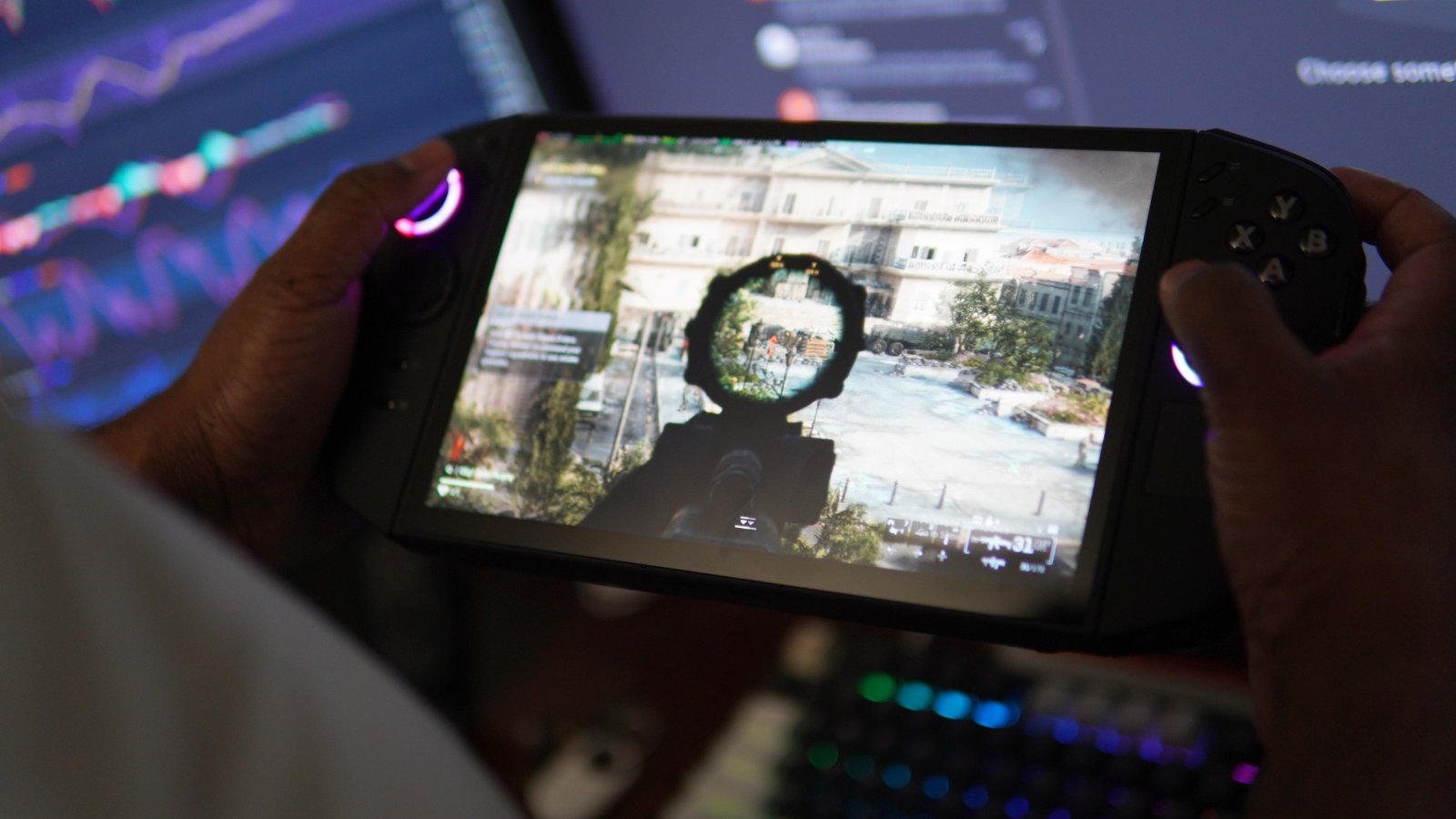
We tested the Legion Go 2 with several Steam games and also tried some latest titles such as Battlefield 6 at medium settings. While running the latest games at the highest settings are out of the question for handheld devices, the Legion Go 2 was able to handle low-to-medium settings graphics and perform between 60fps to 70fps (depending on the gaming load).
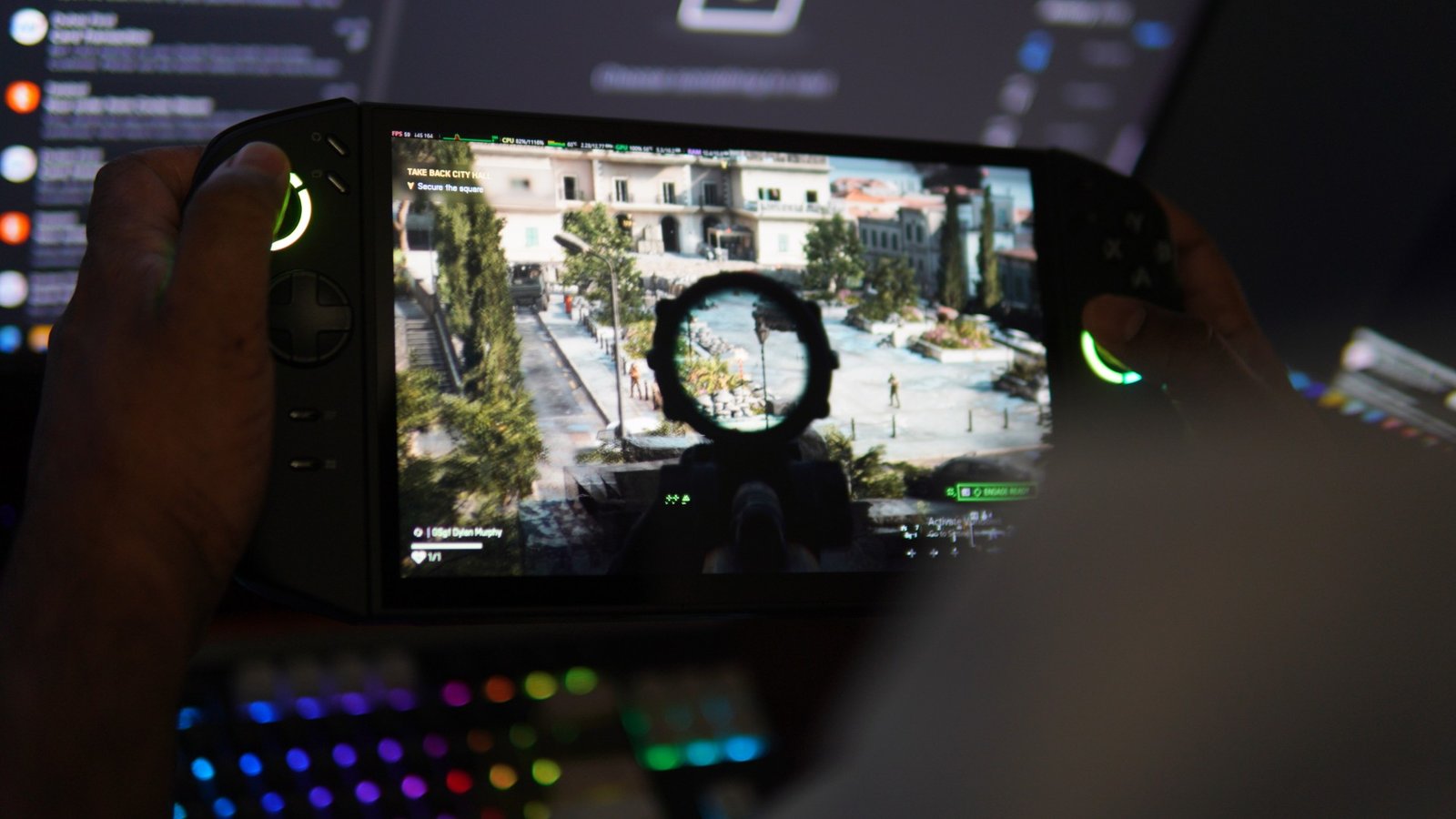
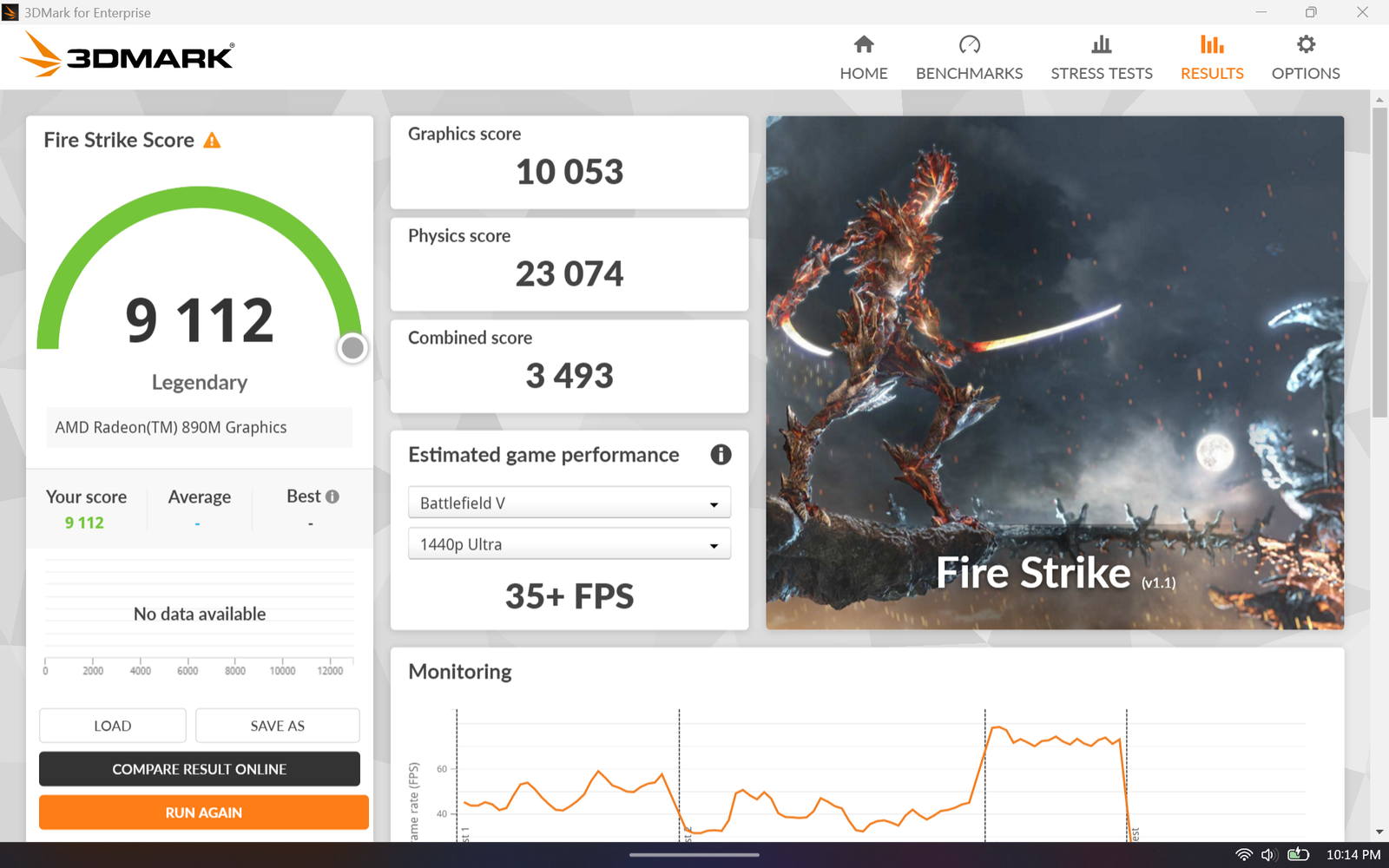
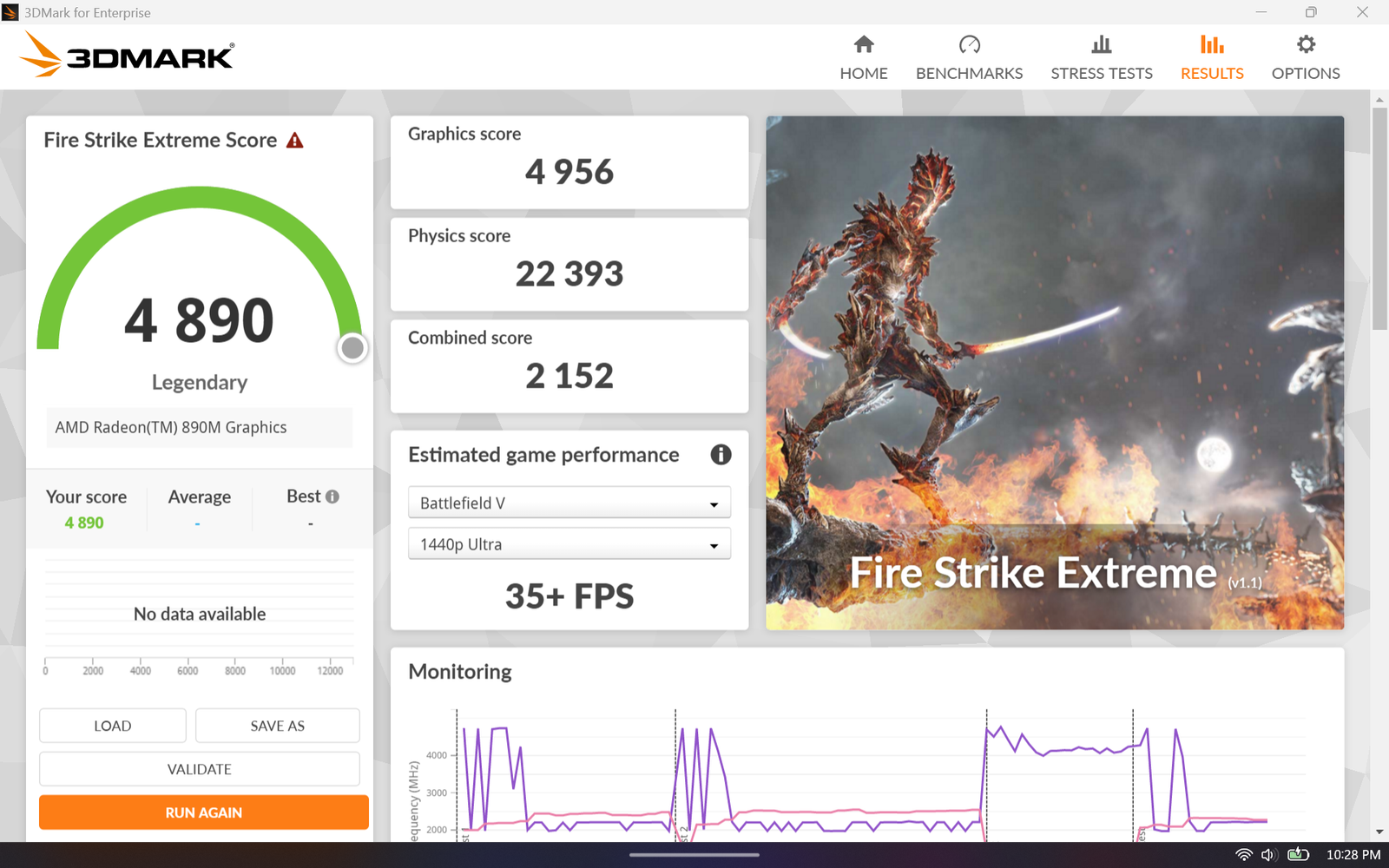
When enabling Radeon Fluid Motion Frames and FSR, the average framerates easily hit near 100 fps, but with slight resolution and sharpness issues. Still, we were able to enjoy the gaming experience with the handheld. This all depends on the user’s preference for the graphics settings they want to use, the screen resolution, refresh rate, etc. The performance of the device can be adjusted using the Legion Space side application, where you can choose power modes such as Quiet, Balanced, Performance, and Custom. These power profiles consume between 5 W to 35 W. We also ran some 3DMark tests on the Legion Go 2. Here are the scores. The benchmarks were tested using the Performance power profile.
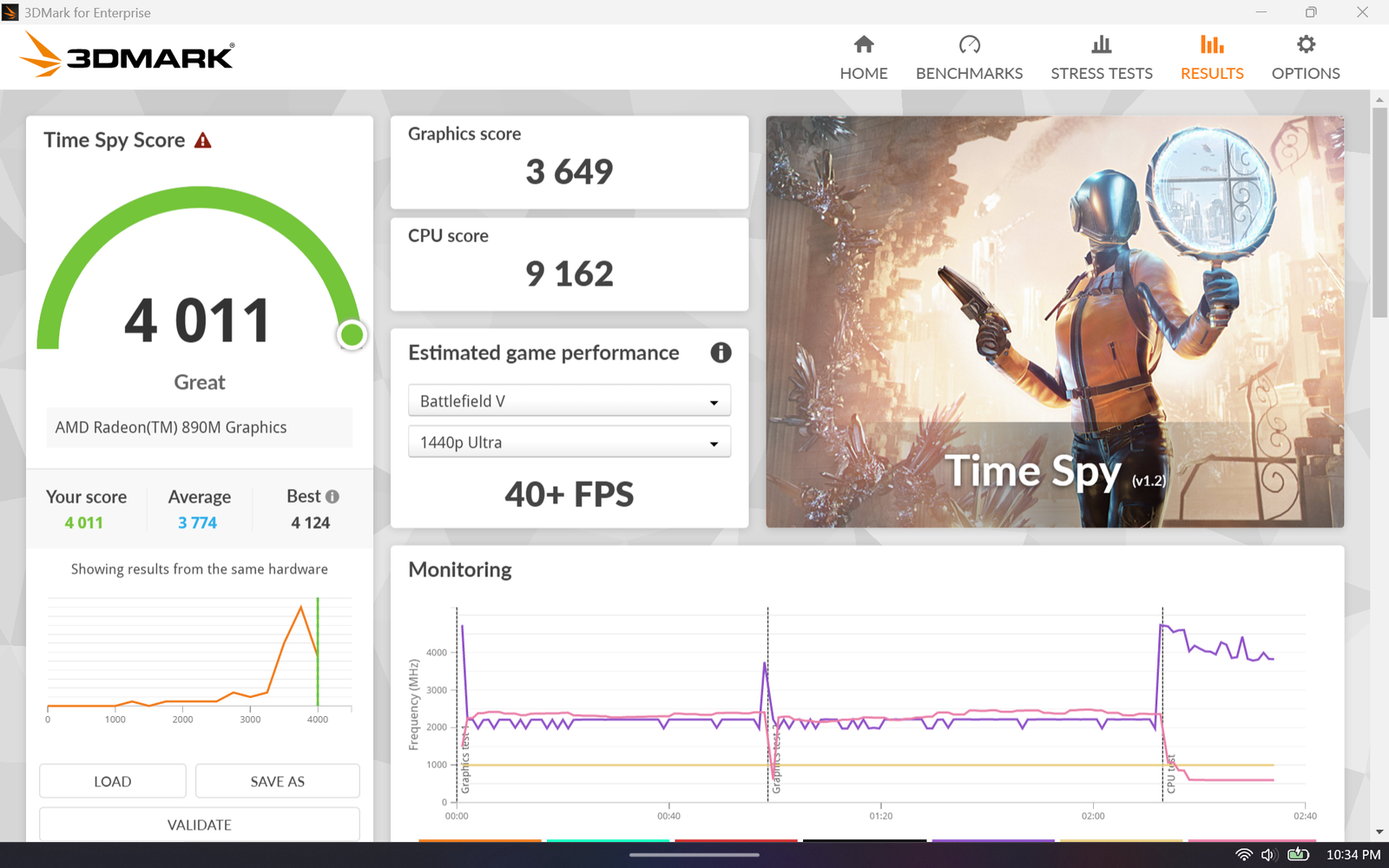
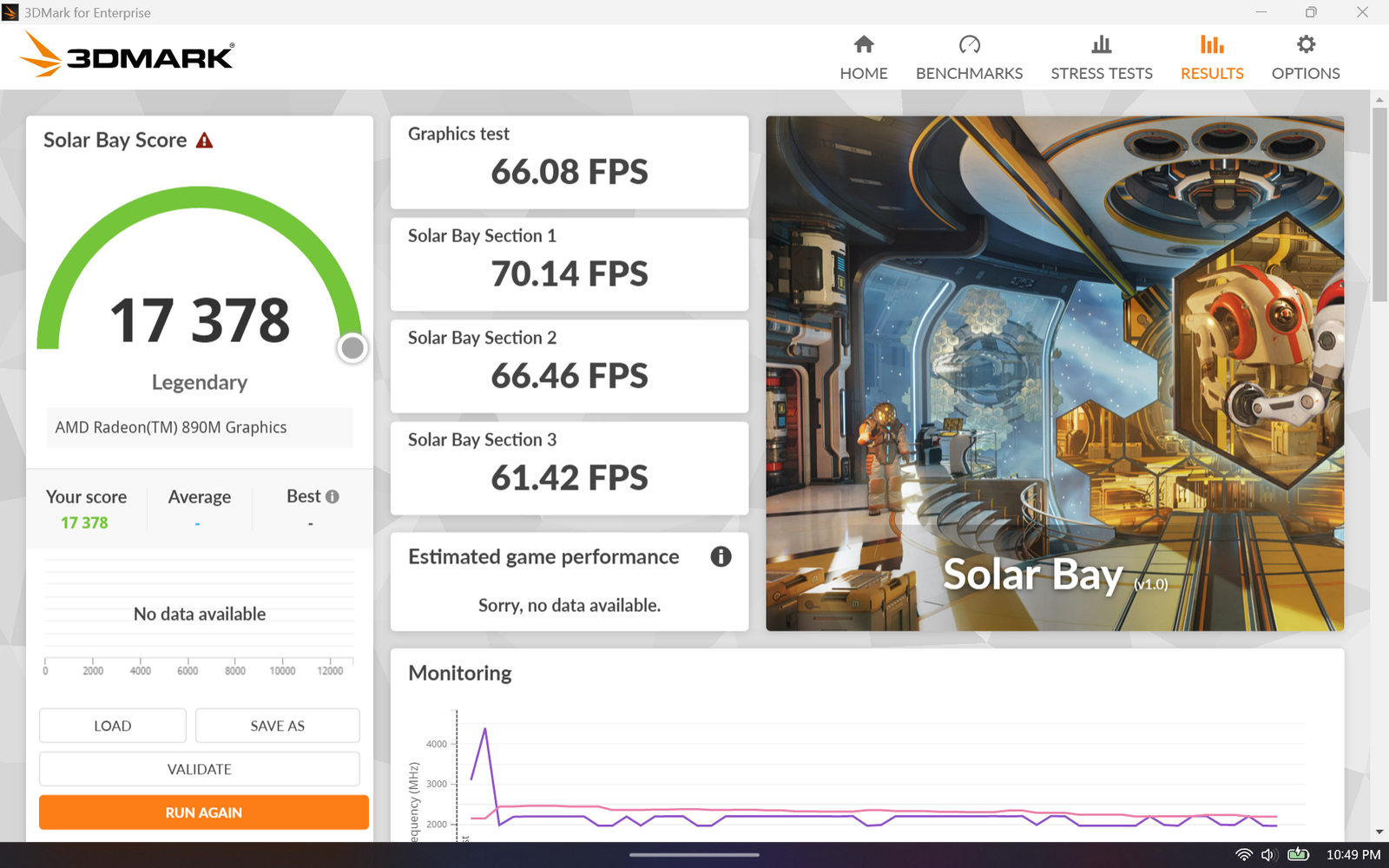
The Lenovo Legion Go 2 also houses a large 4-cell 74WHr battery with USB-C charging capability. The included 65W charger helps to charge the device faster, and the handheld is capable of lasting for a few hours, depending on the power profile that is chosen. The high-performance mode lasts for about 2 hours or more, followed by the power-saving modes that last for longer durations. Other features of the device include WiFi 6E 802.11AX (2 x 2) and Bluetooth 5.3 wireless connectivity.
Verdict
If you are looking for a new Windows gaming handheld or want to upgrade from the previous Legion Go model, the Legion Go 2 is a recommended choice. The new handheld features a stunning 8.8-inch OLED display, 1920 X 1200 screen resolution, 144 Hz refresh rate, VRR, and more. The device also features an ergonomic design, and the detachable joysticks are comfortable to hold for longer gaming sessions. The handheld also uses two speakers, a fingerprint reader, a touchpad for mouse functions, and more.
The handheld also features a built-in kickstand. The handheld is powered by the AMD Z2 Extreme APU, featuring 8 CPU cores and 16 RNDA 3.5 CUs. The device sports 32GB of onboard LPDDR5, and 16GB is used as video memory. The unit comes with a 1TB SSD and with Windows 11 Pro OS. Users will also be able to install the SteamOS operating system. The device also holds a large 4-cell 74WHr battery with support for USB-C charging.